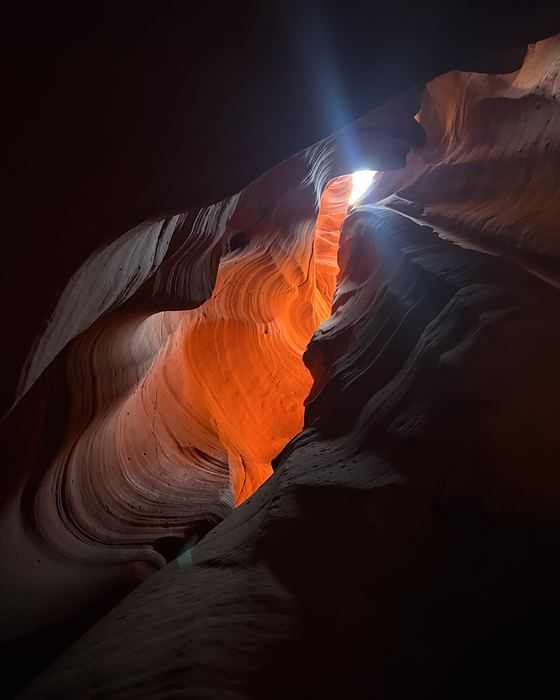
Sunrise over the Grand Canyon
Wander. It logs the rest.

Your world map,
filled in by itself.

Driftlog is a travel log that keeps itself. It quietly records every country, city and date you visit — no check-ins, no journaling, no opening the app. And your travel history stays on your phone.

Free to download. Premium is a one-time purchase of $6.99. No subscription, no account. Made by an indie developer.

Grand Canyon, United States
Driftlog's map screen: a world map with 21 countries colored in, and progress by continent. Driftlog's diary screen: recent trips listed by country, with cities, dates and days stayed. Driftlog after reading a photo library: “Your map just filled in 21 countries.” Driftlog's page for Italy: visited 2 times, stayed 15 days, 3 cities, with each visit's dates.
  1. How it works

    From the day you install it.

    Install it, and your map starts filling in from the very next trip.

    1. Install & forget
    2. Backfill from photos
    3. Come home to a map
  2. 01 — Install & forget

    A diary that writes itself.

    Then just travel the way you always do. No check-ins to remember. And see where you were on this day, years ago — without ever writing an entry.

    Driftlog's diary screen: recent trips listed by country, with cities, dates and days stayed.
  3. 02 — Backfill from photos

    Years of old vacations, back from your camera roll.

    Driftlog reads your photos' locations and fills the map with trips you've already taken. It only sees photos that carry a location, and it never looks at the picture itself.

    Driftlog after reading a photo library: “Your map just filled in 21 countries.”
  4. 03 — Come home to a map

    Watch your world map fill in.

    Open the app to a world map that's already colored in, with a timeline of every trip. Every country you visit colors itself in. A map that's all your own.

    Driftlog's map screen: a world map with 21 countries colored in, and progress by continent.
  5. Memories

    Every visit, every city, remembered.

    Tap a country to relive the whole story — dates, cities and photos.

    Driftlog's page for Italy: visited 2 times, stayed 15 days, 3 cities, with each visit's dates.
A look inside

Your travels, beautifully kept.

Your whole travel life, year by year. Countries, trips, days on the road — all counted for you.

Passport

Collect a stamp for every country.

One passport-style entry stamp, drawn for each of 194 countries — no stock icons, no clip art. The stamps you collect in the app are the same drawings, and the poster is free to use.

See all 194 stamps →
Driftlog's passport screen: a grid of collected country stamps, 21 of 250.
Why Driftlog

Effortless. Private. Yours.

Privacy

Your history stays on your phone

Automatic — but yours alone. Most travel apps keep your location history on their servers. Driftlog doesn't.

  • Your travel history stays on your device
  • Your travel history is never sent to a server
  • No account, no ads, no analytics, nothing sold
  • Only place-name lookups ever leave your phone

Your travel history is stored only on your device and is never sent to a server. To show a place's name, the app sends a coordinate, or a place you type in, to a place-name lookup (Apple's geocoder on iPhone); that lookup is all it sends. No account, no ads, no analytics.

Driftlog's account screen. A note reads: Your records stay on this device. There is no account and no server of ours. The only thing that goes out is a coordinate, sent to the maps service to come back as a place name.
An empty prairie road running to the horizon at dusk in Saskatchewan, Canada.

It fills itself in

Runs quietly in the background, noting where you are only when you reach a new place. You never have to open it.

Easy on your battery

Driftlog does not keep GPS running. It only notes a place when you move to a new country or city.

Made by an indie developer

One independent developer, Akira Takashima of Shiori Studio. No ads, no analytics, nothing sold.

No account. Nothing to cancel.

There is no sign-up and no login.

Try it first

See your own map before you install anything.

We put the backfill part of Driftlog on the web, free. Drop in some photos and it reads the GPS inside them, works out which countries you have been to, and draws the map — in your browser, with nothing uploaded.

Count my countries — free

No signup. No upload. Works on any browser.

Pricing

Buy once. Keep it forever.

One-time purchase
$6.99

Unlock every country's dates, cities and photos.
One-time purchase. No subscription, ever.

Free to start

The map, the country count, the passport stamps and the timeline are free, and so are the full details of your home country and your first foreign country.

$6.99 is the US price on the App Store and Google Play.

FAQ

Good questions.

What is Driftlog?

Driftlog is a travel log app for iPhone and Android. It records the countries, regions, cities and dates you visit by itself, in the background, and colors them in on a world map. It also rebuilds earlier trips from the location saved in your photos. It is made by one independent developer, Akira Takashima of Shiori Studio.

Does it drain my battery?

Very little. Driftlog does not keep GPS running. On iPhone it uses the system's low-power significant-location-change signal, and it only notes a place when you move to a new country or city.

Is my data really private?

Your travel records are stored on your device. There is no account and no server behind the app, and the App Store privacy label says Data Not Collected. One kind of request does leave the phone: a coordinate, or a city name you type, is sent to the map service to look up a place name.

Is there a subscription?

No. Driftlog is free to download and Premium is a one-time purchase, $6.99 in the US. There is no monthly or yearly fee and there are no ads.

What can I do for free?

The world map, the country count, the passport stamps and the timeline are free. Your home country and your first foreign country open in full, with regions, cities, dates and photos. From the second foreign country on, the country still colors in and counts, and its details open with the one-time purchase.

Can it capture past trips?

Yes. Driftlog reads the date and location already saved in your photos and puts those trips on the map. It only sees photos that carry a location, and it never looks at the picture itself.

Does it record the route I took?

No. It records places and dates: country, region, city. It does not draw the path between them. If you want the exact road you drove, use a route recorder such as Google Maps Timeline.

iPhone and Android?

Both. Driftlog runs on iPhone and iPad with iOS 17 or later, from the App Store, and on Android, from Google Play, where it is listed as Driftlog: Travel Map & Diary. The Android version is a separate native app, so its features and update timing can differ from the iPhone version.

Do I need an account?

No. There is no sign-up and no login, and nothing to cancel.

How does Driftlog count countries?

The app counts every country and territory that has a record, by two-letter country code, so Hong Kong or Puerto Rico count as their own entry. The free Driftlog Counter on the web counts the 193 UN member states plus Taiwan.

Is Driftlog the same app as ずぼ旅?

Yes. ずぼ旅 (Zubotabi) is the Japanese name of the same app. Other products called Driftlog, among them a fly-fishing journal, a road-trip journal and a developer tool, are unrelated to this one.

Dusk over the Grand Canyon.
Available now

Your map is waiting.

Driftlog is live on the App Store and Google Play. Install it free, and let your travels fill in the rest.

iPhone, iPad and Android. Made by an indie developer.